
To do so, first uninstall Exponam.Connect by
(1) closing Excel and
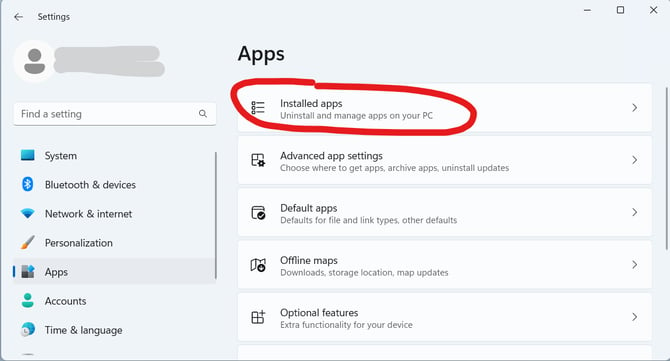
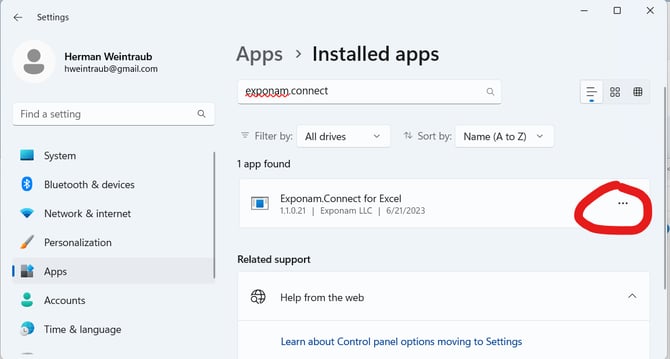
(2) uninstalling Exponam.Connect via Settings->Apps->Installed apps (image attached).
 select Uninstall from the ... next to Exponam.Connect
Next, reinstall Exponam.Connect by following the instructions: How do I download, install, and use the Windows Excel Add-in?
When installing, be sure to Accept the dialog to install Windows .NET framework. This step could be lengthy, depending upon the amount of installation required