
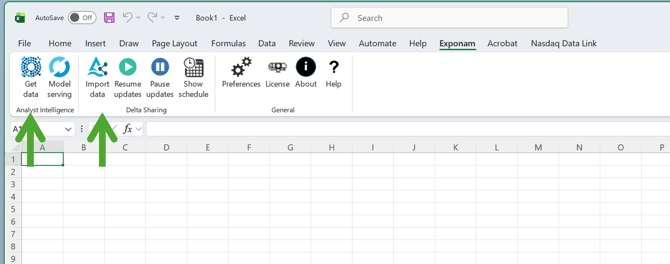
Exponam Analyst Intelligence provides two different pathways to access data. Each has its own button in the toolstrip: Get Data and Import Data.
Get Data
The Get Data method pulls data into Excel by executing a SQL query on a cloud compute engine. It is via this method that you can write a natural language inquiry and have AI convert it to SQL to execute. It is also via this method that you utilize a SQL scratchpad to directly execute a query.
Advantages
-
It is able to execute very complex queries and return data from across numerous tables.
-
You can generate summaries, top n, min and max values, etc.
- Works with all different data platforms - Databricks, Snowflake, Fabric, etc.
Disadvantages
-
The principle disadvantage is cost. Every query uses a data platform compute engine to return your results. Every query, even the most trivial, can cost anywhere from a few pennies to several dollars depending on your platform configuration.
Import Data
The Import Data method pulls data from a Databricks Catalog via Delta Sharing. This can be used to pull data from your own organization's Databricks lakehouse or from any of thousands of data providers who support Delta Sharing.
This method uses a visual query preview for selecting and reordering columns and filtering data. It also enables automatically updating data sheets.
Advantages
-
Cost: Importing data via the Delta Sharing protocol does not utilize data platform compute. There is no cost for all table imports. Compare this with Get Data which can cost several dollars for every import.
-
Speed: Imports via Delta Sharing are usually faster than via Get Data. Benchmark results are 8-10 seconds per million rows.
Disadvantages
- Databricks only. Limited to Databricks and the Delta Sharing protocol. If your data is in another data platform, it will not work with Import Data.
- Complexity. Limited to pulling data from one table or view at a time. There is no notion of joins in the Delta Sharing protocol.
- Detail only. Can only return filtered data rows. Cannot be used to generate summaries, min and max values, top n, etc. You can; however, automatically apply pivot tables during import.