The first time you open the "Get Data" window,
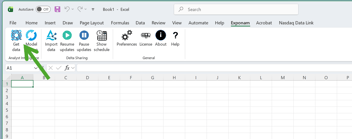
you will need to configure your system before you can use it.
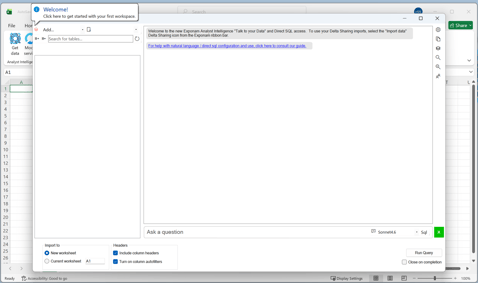
Begin by clicking "Add..." a connection to your data platform. Select your type of data platform - Databricks, Snowflake, Fabric... Follow the instructions to add your connection credentials.
Once entered, your data catalog and a list of available processing engines will appear.
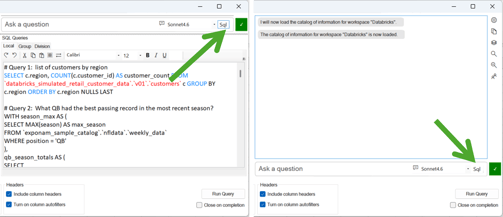
At this point, you can double-click on any available table to generate a default SQL statement, or you can begin writing SQL queries directly on your scratchpad to pull data. Use the "SQL" button to show/hide your scratchpad.